The Impatient Programmer's Guide to Bevy and Rust: Chapter 4 - Let There Be Collisions
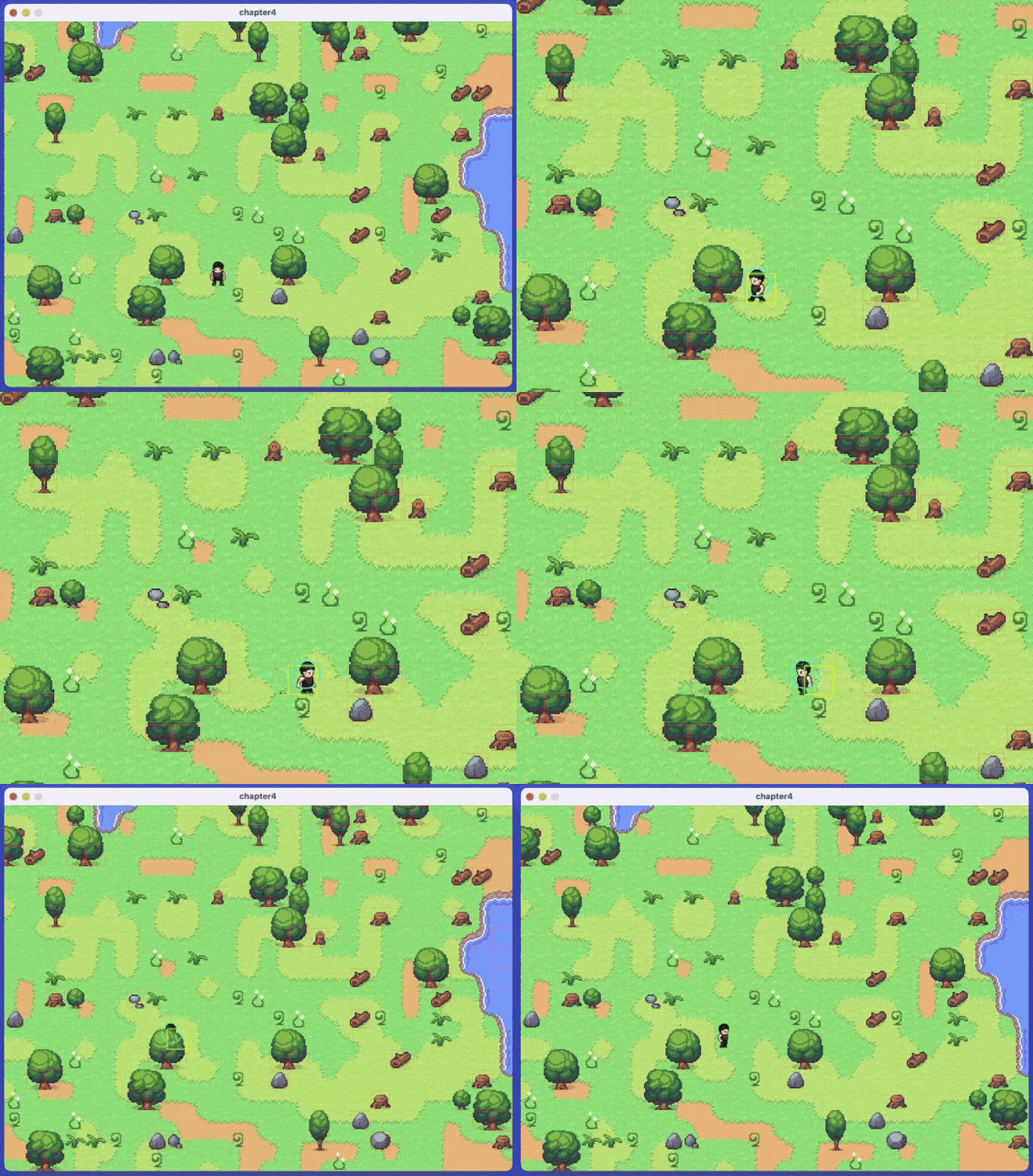
By the end of this chapter, your player will interact with the world properly, no more walking through trees, water, or rocks. We’ll implement z-ordering so they can walk behind objects, giving your 2D game true depth. Also, you’ll build a collision visualizer for debugging.
Prerequisites: This is Chapter 4 of our Bevy tutorial series. Join our community for updates on new releases. Before starting, complete Chapter 1: Let There Be a Player, Chapter 2: Let There Be a World, and Chapter 3: Let The Data Flow, or clone the Chapter 3 code from this repository to follow along.
Systems Running When They Shouldn’t
In Chapter 3, we built a character system that loads sprite data from a .ron file. But there’s a problem in how we handle the initialization.
The spawn_player system runs once at startup. It spawns the player entity and begins loading the character data file. So far, so good.
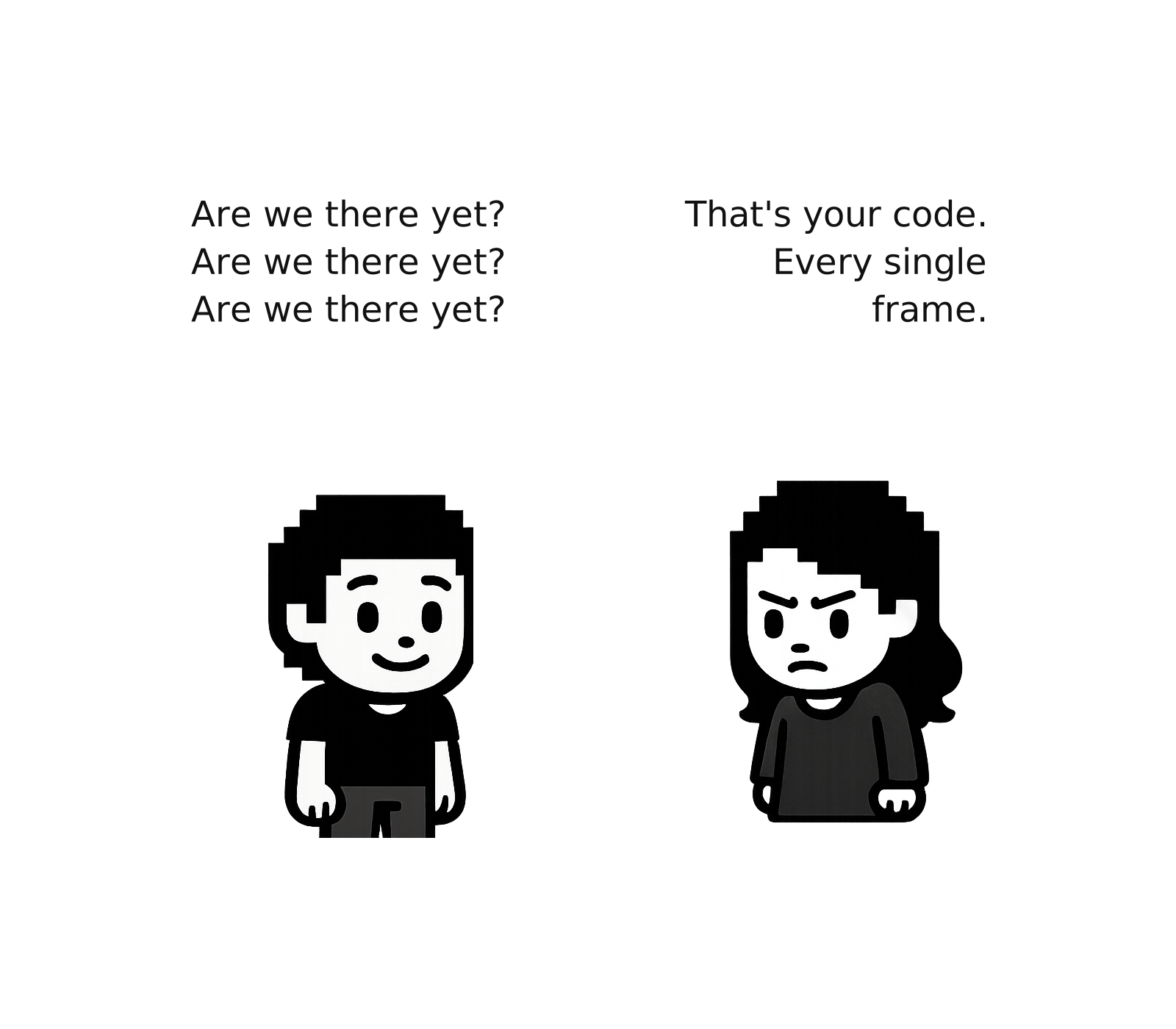
But then initialize_player_character runs every single frame, checking if the assets have finished loading:
We have a polling pattern that repeatedly checks if something is ready:
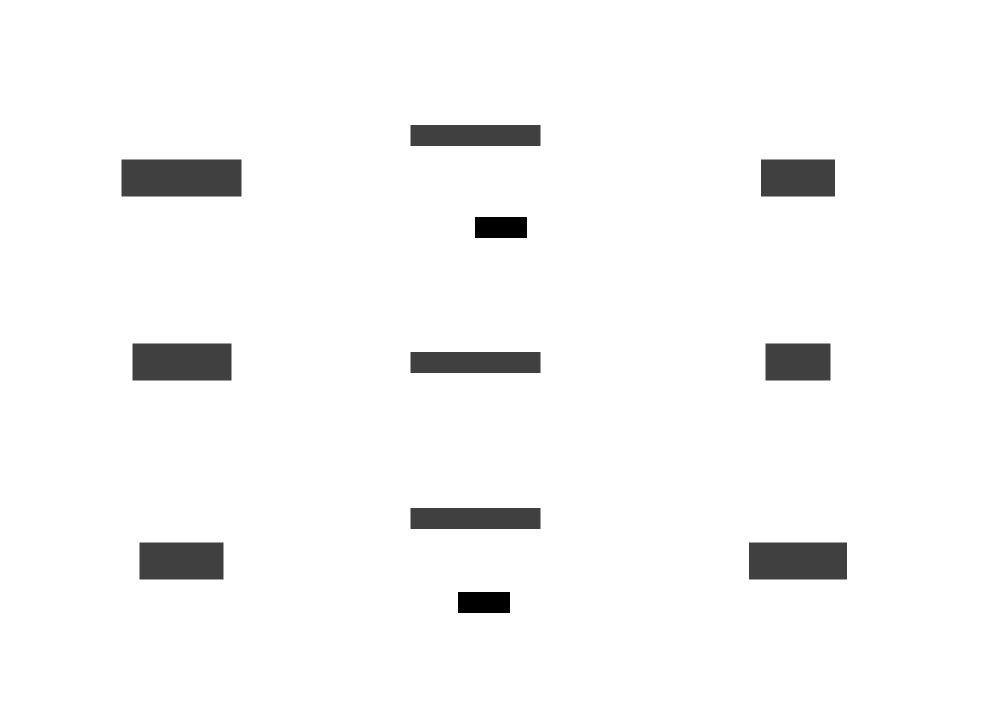
The system runs every frame forever with wasted checks while loading, one useful execution, then infinite no-ops causing performance waste, code clutter, and making the code difficult to extend.
Systems That Run Only When Needed
Startup and Update we use to trigger our systems are schedules. Bevy’s way of organizing when systems run. Startup runs once at launch, Update runs every frame.
But what if we need systems that run at specific moments? Not every frame, not just at startup, but exactly when something happens like when assets finish loading, or when the player pauses the game.
State-Based Schedules
The solution is to organize our game into distinct phases. We call these phases states: Loading, Playing, and Paused. Each state represents a different mode of the game.
When the game transitions from one state to another (say, from Loading to Playing), Bevy provides special schedules that run exactly once:
- OnEnter - Runs when entering a state
- OnExit - Runs when leaving a state
This is how we eliminate polling. Instead of initialize_player_character checking every frame “Are assets loaded yet?”, we attach it to OnExit(Loading). When assets finish loading and we leave the Loading state, Bevy runs it exactly once.
Implementing Game States
Let’s build a state management module with loading screens and game pause functionality. Create the folder state inside the src folder.
Defining Game States
What states do we need?
Think about your game’s lifecycle. Right now, when the game starts:
- Assets need time to load from disk
- Once loaded, gameplay begins
- Players might want to pause
These are three distinct phases, each needing different systems:
- Loading: Show loading screen, check if assets ready, don’t run gameplay
- Playing: Run movement/animation, hide loading screen, allow pausing
- Paused: Show pause menu, stop gameplay, allow un-pausing
Let’s define these as an enum:
Create src/state/game_state.rs:
// src/state/game_state.rs
use bevy::prelude::*;

#[derive(States, Default, Debug, Clone, Copy, PartialEq, Eq, Hash)]
pub enum GameState {
    #[default]
    Loading,
    Playing,
    Paused,
}
What’s the States macro?
The #[derive(States)] macro implements the States trait, which tells Bevy:
- This enum represents game phases where only one can be active at a time
- Bevy should track which state is active
- Systems can be gated to run only in specific states
- State transitions should trigger OnEnter/OnExit schedules
The #[default] attribute marks which state the game starts in. Here, Bevy initializes the state to the default value (Loading in our case).
Loading Screen
Let’s create a loading screen with a full-screen dark background, animated “Loading…” text.
Create src/state/loading.rs
// src/state/loading.rs
use bevy::prelude::*;

#[derive(Component)]
pub struct LoadingScreen;

#[derive(Component)]
pub struct LoadingText;

pub fn spawn_loading_screen(mut commands: Commands) {
    commands.spawn((
        LoadingScreen,
        Node {
            width: Val::Percent(100.0),
            height: Val::Percent(100.0),
            justify_content: JustifyContent::Center,
            align_items: AlignItems::Center,
            ..default()
        },
        BackgroundColor(Color::srgb(0.1, 0.1, 0.15)),
    )).with_children(|parent| {
        parent.spawn((
            LoadingText,
            Text::new("Loading..."),
            TextFont {
                font_size: 48.0,
                ..default()
            },
            TextColor(Color::WHITE),
        ));
    });

    info!("Loading screen spawned");
}
What’s happening:
LoadingScreenandLoadingTextare marker components to identify our UI entitiesNodecreates a full-screen container (100% width and height)justify_contentandalign_itemscentered means text appears in the middle.with_children()spawns the text as a child of the background
Now append the animation function to the same file:
// Append to src/state/loading.rs
pub fn animate_loading(
    time: Res<Time>,
    mut query: Query<&mut Text, With<LoadingText>>,
) {
    for mut text in query.iter_mut() {
        let dots = (time.elapsed_secs() * 2.0) as usize % 4;
        **text = format!("Loading{}", ".".repeat(dots));
    }
}
This animates the text: “Loading” → “Loading.” → “Loading..” → “Loading…” (cycling through 0-3 dots).
What’s **text, is this like double dereferencing?
Yes! When we call .iter_mut(), Bevy wraps our &mut Text in a special type that tracks changes. The first * unwraps that to get &mut Text, and the second * dereferences the reference to reach the actual Text value we can modify.
Finally, append the despawn function:
// Append to src/state/loading.rs
pub fn despawn_loading_screen(
    mut commands: Commands,
    query: Query<Entity, With<LoadingScreen>>,
) {
    for entity in query.iter() {
        commands.entity(entity).despawn();
    }

    info!("Loading screen despawned");
}
Why despawn?
When we transition to Playing state, the loading screen should disappear. Without despawning, the UI entities would remain in the world forever, cluttering memory and rendering on top of the game. The .despawn() function removes the loading screen entity. Since LoadingText is a child (via .with_children()), Bevy automatically removes it too.
Pause Menu
Now let’s create a pause menu that shows a semi-transparent overlay with “PAUSED” text when the player presses Escape, and hides when they press it again.
Create src/state/pause.rs:
// src/state/pause.rs
use bevy::prelude::*;

#[derive(Component)]
pub struct PauseMenu;

pub fn spawn_pause_menu(mut commands: Commands) {
    commands.spawn((
        PauseMenu,
        Node {
            width: Val::Percent(100.0),
            height: Val::Percent(100.0),
            justify_content: JustifyContent::Center,
            align_items: AlignItems::Center,
            ..default()
        },
        BackgroundColor(Color::srgba(0.0, 0.0, 0.0, 0.7)),
    )).with_children(|parent| {
        parent.spawn((
            Text::new("PAUSED\n\nPress ESC to resume"),
            TextFont {
                font_size: 36.0,
                ..default()
            },
            TextColor(Color::WHITE),
            TextLayout::new_with_justify(Justify::Center),
        ));
    });

    info!("Pause menu spawned");
}

pub fn despawn_pause_menu(
    mut commands: Commands,
    query: Query<Entity, With<PauseMenu>>,
) {
    for entity in query.iter() {
        commands.entity(entity).despawn();
    }

    info!("Pause menu despawned");
}
State Plugin
Now we’ll create the StatePlugin that wires everything together. We’ll build it piece by piece.
Create src/state/mod.rs.
// src/state/mod.rs
mod game_state;
mod loading;
mod pause;

use bevy::prelude::*;
use crate::characters::spawn::CharactersListResource;
use crate::characters::config::CharactersList;

pub use game_state::GameState;

pub struct StatePlugin;

impl Plugin for StatePlugin {
    fn build(&self, app: &mut App) {
        app
            .init_state::<GameState>()

            // Loading state systems
            .add_systems(OnEnter(GameState::Loading), loading::spawn_loading_screen)
            .add_systems(Update, (
                check_assets_loaded,
                loading::animate_loading,
            ).run_if(in_state(GameState::Loading)))
            .add_systems(OnExit(GameState::Loading), (
                loading::despawn_loading_screen,
                crate::characters::spawn::initialize_player_character,
            ))
                // Pause state systems
            .add_systems(OnEnter(GameState::Paused), pause::spawn_pause_menu)
            .add_systems(OnExit(GameState::Paused), pause::despawn_pause_menu)

            // Pause toggle (works in Playing or Paused states)
            .add_systems(Update,
                toggle_pause.run_if(in_state(GameState::Playing).or(in_state(GameState::Paused)))
            );
    }
}

fn check_assets_loaded(
    characters_list_res: Option<Res<CharactersListResource>>,
    characters_lists: Res<Assets<CharactersList>>,
    mut next_state: ResMut<NextState<GameState>>,
) {
    let Some(res) = characters_list_res else {
        return;
    };

    if characters_lists.get(&res.handle).is_some() {
        info!("Assets loaded, transitioning to Playing!");
        next_state.set(GameState::Playing);
    }
}

fn toggle_pause(
    input: Res<ButtonInput<KeyCode>>,
    current_state: Res<State<GameState>>,
    mut next_state: ResMut<NextState<GameState>>,
) {
    if input.just_pressed(KeyCode::Escape) {
        match current_state.get() {
            GameState::Playing => {
                info!("Game paused");
                next_state.set(GameState::Paused);
            }
            GameState::Paused => {
                info!("Game resumed");
                next_state.set(GameState::Playing);
            }
            _ => {}
        }
    }
}
What’s happening here?
We start by telling Bevy to track our custom GameState enum.
When the game starts and enters Loading state, OnEnter(GameState::Loading) runs spawn_loading_screen once, showing the loading UI.
While in Loading state, Update.run_if(in_state(GameState::Loading)) runs two systems one to check if assets are loaded and another to animate the loading text.
Once assets load, check_assets_loaded requests a transition to Playing state. When this happens, OnExit(GameState::Loading) triggers, running two systems that cleans up the loading UI and initialize the player. Now player initialization can happen only once since exiting from loading state is a one-time event.
For pausing, we added systems on OnEnter(GameState::Paused) and OnExit(GameState::Paused) to show and hide the pause menu. The toggle_pause function listens for the Escape key and switches between Playing and Paused states.
Our StatePlugin now orchestrates the entire game flow. The Loading state handles asset loading with visual feedback, and the Playing state will run gameplay systems. Later in this chapter, we’ll gate our gameplay systems to only run in the Playing state, which will freeze the game when paused. The beauty of this design is that systems automatically attach to state transitions, no polling, no wasted frames. Everything runs exactly when needed.
Now open src/characters/mod.rs and remove initialize_player_character from the Update schedule. Since we have already added it through StatePlugin.
// src/characters/mod.rs
impl Plugin for CharactersPlugin {
    fn build(&self, app: &mut App) {
        app.add_plugins(RonAssetPlugin::<CharactersList>::new(&["characters.ron"]))
            .init_resource::<spawn::CurrentCharacterIndex>()
            .add_systems(Startup, spawn::spawn_player)
            // REMOVE initialize_player_character from here!
            // It now runs in StatePlugin's OnExit(Loading)
            .add_systems(Update, (
                spawn::switch_character,
                movement::move_player,
                movement::update_jump_state,
                animation::animate_characters,
                animation::update_animation_flags,
            ));
    }
}
Integrating StatePlugin
Add the state module and plugin to src/main.rs:
// src/main.rs
mod characters;
mod map;
mod state;  // Add this
Important: Add StatePlugin BEFORE CharactersPlugin so the state system is initialized before character systems try to use it.
// Add state plugin inside main function of src/main.rs
        // Previous code as it is
        .add_plugins(ProcGenSimplePlugin::<Cartesian3D, Sprite>::default())
        .add_plugins(state::StatePlugin)  // Add BEFORE CharactersPlugin!
        .add_plugins(characters::CharactersPlugin)
        .add_systems(Startup, setup_camera)
        .run();
Run your game:
cargo run
You might not see the loading screen (assets load quickly, but you can manually add a delay if needed). The game starts and your character appears, ready to move. Press Escape to toggle the pause overlay. Note that at this point, the game will continue running in the background when paused, we’ll fix that later in the chapter by gating our gameplay systems to only run in the Playing state.
The State Pattern for Characters
We just used states to control our game flow (Loading → Playing → Paused). Now let’s apply the same pattern to something else: character behavior.
Have a look at out AnimationState component:
// Pseudo code, don't use
#[derive(Component, Default)]
pub struct AnimationState {
    pub is_moving: bool,
    pub was_moving: bool,
    pub is_jumping: bool,
    pub was_jumping: bool,
}
Four booleans tracking two pieces of information: what the character is doing now and what they were doing last frame. We needed was_moving and was_jumping to detect transitions like “just started jumping” or “just stopped moving”.
This works to help us with animation, but it has problems.
Too Many Boolean Flags
What if we add running? We’d need:
// Pseudo code, don't use
pub is_running: bool,
pub was_running: bool,
Attacking?
// Pseudo code, don't use
pub is_attacking: bool,
pub was_attacking: bool,
Soon our component is drowning in booleans, and our animation system is drowning in transition logic:
// Pseudo code, don't use
let just_started_moving = state.is_moving && !state.was_moving;
let just_stopped_moving = !state.is_moving && state.was_moving;
let just_started_jumping = state.is_jumping && !state.was_jumping;
let just_stopped_jumping = !state.is_jumping && state.was_jumping;
let just_started_running = state.is_running && !state.was_running;
// ... it keeps growing
Worse, what happens if is_moving and is_jumping are both true? Or is_running and is_attacking? Boolean flags don’t prevent impossible states.
A developer might accidentally set both flags, or forget to clear one when setting another. Your animation system then has to decide: which flag wins? You end up writing priority logic, and bugs creep in when the priorities aren’t consistent across systems.
The State Pattern Solution
Remember how GameState worked? We defined an enum with Loading, Playing, and Paused, and Bevy tracked which state we were in. We can apply the same idea to characters: define an enum of possible states, and let the current state determine behavior.
// Pseudo code, don't use
#[derive(Component, Debug, Clone, Copy, PartialEq, Eq, Default)]
pub enum CharacterState {
    #[default]
    Idle,
    Walking,
    Running,
    Jumping,
}
A character can only be in one state at a time. No more impossible combinations. No more boolean math.
Why This Is Better
1. Impossible states become impossible:
With an enum, the compiler enforces that the character is in exactly one state:
// Pseudo code, don't use
// With booleans: you can do this (but shouldn't!)
is_walking = true;
is_jumping = true;  // Now both are true - invalid!

// With enum: you can't have both true
let state = CharacterState::Walking;
// state is Walking. To jump, you must replace it:
let state = CharacterState::Jumping;  // Now it's only Jumping
The variable holds one value. You can’t be Walking and Jumping simultaneously. This approach is called making illegal states unrepresentable, a key principle in type-driven development. Instead of writing code to check for invalid combinations, you design your types so invalid combinations can’t exist.
2. Bevy detects changes for us:
Remember manually tracking was_moving and was_jumping? That was change detection done by hand. Bevy has this built in. When you use Changed<CharacterState>, Bevy only runs your code when the state actually changes.
Your animation update system only runs when the character transitions between states. Your sound effect system only runs when entering a new state. Less code, fewer bugs, and we’ll use this later in the chapter.
3. Animation selection becomes a simple match:
With an enum, picking the right animation is straightforward. You match on the current state, and each state maps to exactly one animation. There’s no ambiguity, no priority logic, no “what if both flags are true?” dilemma.
// Pseudo code, don't use
let new_animation = match state {
    CharacterState::Idle | CharacterState::Walking => AnimationType::Walk,
    CharacterState::Running => AnimationType::Run,
    CharacterState::Jumping => AnimationType::Jump,
};
The compiler warns you if you forget to handle a state. If you later add a new state to the enum, every match statement becomes a compile error until you handle the new case. The compiler forces you to think through all possibilities.
Now let’s put this into practice and implement CharacterState.
Implementing Character States
Create a new file src/characters/state.rs:
characters/
├── config.rs
├── animation.rs
├── movement.rs
├── mod.rs
├── spawn.rs
├── state.rs  ← Create this
The CharacterState Enum
We need an enum that represents all possible states our character can be in:
// src/characters/state.rs
use bevy::prelude::*;

/// Character states. Only one can be active at a time.
#[derive(Component, Debug, Clone, Copy, PartialEq, Eq, Default)]
pub enum CharacterState {
    #[default]
    Idle,
    Walking,
    Running,
    Jumping,
}
Querying State with Methods
Earlier, we explained how boolean flags can create invalid combinations. Instead of tracking is_jumping and was_jumping flags separately, we now have a single CharacterState. But we still need to answer questions like “can this character jump right now?”
That’s where these query methods come in. They let us ask questions about the current state without maintaining separate flag variables:
// Append to src/characters/state.rs
impl CharacterState {
    /// Check if this is a grounded state (can jump from here)
    pub fn is_grounded(&self) -> bool {
        matches!(self, CharacterState::Idle | CharacterState::Walking | CharacterState::Running)
    }
}
This method replaces boolean flag logic for jump control. Instead of tracking an is_jumping flag and checking it manually, we query the state. The logic is simple: you can only jump when grounded (Idle, Walking, or Running). You can’t jump while already in the Jumping state.
What’s matches!?
The matches! macro checks if a value matches a pattern. matches!(self, CharacterState::Idle) returns true if self is Idle, false otherwise. The | means “or” so matches!(self, CharacterState::Walking | CharacterState::Running) checks if it’s either Walking or Running.
Animation Refactoring
Now we’ll refactor animation.rs to use our new state-based approach. While we’re at it, let’s also clean up a code organization issue: currently, AnimationController stores both the current animation type and the facing direction. But these are owned by different systems, facing decides direction, animation decides the clip. Separating them makes each system’s responsibility clearer.
First, create a new file src/characters/facing.rs. By making Facing its own component, the movement system owns direction updates, and the animation system focuses on sprite animation.
// src/characters/facing.rs
use bevy::prelude::*;

/// The direction a character is facing.
/// Separate from movement - character can face one way while moving another.
#[derive(Component, Debug, Clone, Copy, PartialEq, Eq, Default)]
pub enum Facing {
    Up,
    Left,
    #[default]
    Down,
    Right,
}

impl Facing {
    pub fn from_velocity(velocity: Vec2) -> Self {
        if velocity.x.abs() > velocity.y.abs() {
            if velocity.x > 0.0 { Facing::Right } else { Facing::Left }
        } else {
            if velocity.y > 0.0 { Facing::Up } else { Facing::Down }
        }
    }

    /// Helper to map direction to row offset (0, 1, 2, 3)
    pub(crate) fn direction_index(self) -> usize {
        match self {
            Facing::Up => 0,
            Facing::Left => 1,
            Facing::Down => 2,
            Facing::Right => 3,
        }
    }
}
Expose both state and facing in src/characters/mod.rs:
// src/characters/mod.rs
pub mod config;
pub mod animation;
pub mod movement;
pub mod state; // Add this line
pub mod facing;  // Add this line
Open src/characters/animation.rs. We’ll update it section by section.
First, delete the old Facing enum and AnimationState struct. We’ll be using CharacterState instead.
// src/characters/animation.rs - Delete the following sections

// DELETE this (Facing moved to facing.rs)
pub enum Facing { ... }
impl Facing { ... }

// DELETE this (AnimationState replaced by CharacterState)
pub struct AnimationState {
    pub is_moving: bool,
    ...
}
Remove facing from AnimationController since it’s now a separate component. Also derive Default macro for AnimationController.
// src/characters/animation.rs - Update AnimationController
#[derive(Component, Default)] // Line update alert
pub struct AnimationController {
    pub current_animation: AnimationType,
    // Facing is removed now, line update alert
}
You’ll also need to delete the old manual Default implementation for AnimationController. Previously, it looked like this:
// DELETE the following old implementation from src/characters/animation.rs
impl Default for AnimationController {
    fn default() -> Self {
        Self {
            current_animation: AnimationType::Walk,
            facing: Facing::Down,
        }
    }
}
Delete it entirely. Since AnimationController now only has one field (current_animation), we need AnimationType to have a default value. Add #[derive(Default)] to AnimationType and mark Walk as the default:
// src/characters/config.rs - Set default animation type to Walk
#[derive(Debug, Clone, Copy, PartialEq, Eq, Hash, Serialize, Deserialize, Default)] // Line update alert
pub enum AnimationType {
    #[default] // Line update alert
    Walk,
    Run,
    Jump
}
Now update the imports at the top of the file. Let’s add imports for CharacterState and Facing.
// src/characters/animation.rs - Update imports
use bevy::prelude::*;
use crate::characters::config::{CharacterEntry, AnimationType};
use crate::characters::state::CharacterState; // Line update alert
use crate::characters::facing::Facing; // Line update alert
Since we moved Facing out of AnimationController, get_clip can no longer access self.facing. We need to pass facing as a parameter. This is actually cleaner: the method now explicitly declares what data it needs:
// src/characters/animation.rs - Update get_clip signature
impl AnimationController {
    /// Get the animation clip for the current animation and facing direction.
    /// `facing` is passed in since it's now a separate component.
    pub fn get_clip(&self, config: &CharacterEntry, facing: Facing) -> Option<AnimationClip> {
        let def = config.animations.get(&self.current_animation)?;

        let row = if def.directional {
            def.start_row + facing.direction_index()
        } else {
            def.start_row
        };

        Some(AnimationClip::new(row, def.frame_count, config.atlas_columns))
    }
}
Delete update_animation_flags
We no longer need this function since we will be using Changed<CharacterState> instead of manual tracking.
// src/characters/animation.rs - DELETE this entire function
pub fn update_animation_flags(...) { ... }
Replace Animation System
Here’s where the state pattern really pays off. The old animate_characters function manually tracked state changes with boolean flags. With CharacterState, Bevy’s Changed filter does this for us automatically.
Delete animate_characters entirely.
// src/characters/animation.rs - DELETE this entire function
pub fn animate_characters(...) { ... }
We’ll write one system that responds to state changes (using Changed<CharacterState>), and another that does animation playback. This separation means state-change logic only runs when needed, not every frame.
System 1: Handle Character State Changes
This system runs only when CharacterState changes, using Bevy’s Changed filter. When triggered, it updates the animation type so the playback system knows which animation to play.
// src/characters/animation.rs - Add this new function
pub fn on_state_change_update_animation(
    mut query: Query<
        (&CharacterState, &mut AnimationController, &mut AnimationTimer),
        Changed<CharacterState>
    >,
) {
    for (state, mut controller, mut timer) in query.iter_mut() {
        // Select animation based on new state
        let new_animation = match state {
            CharacterState::Idle | CharacterState::Walking => AnimationType::Walk,
            CharacterState::Running => AnimationType::Run,
            CharacterState::Jumping => AnimationType::Jump,
        };

        // Only update and reset timer if animation actually changed
        if controller.current_animation != new_animation {
            controller.current_animation = new_animation;
            timer.0.reset();
        }
    }
}
What’s Changed<CharacterState>?
This is the change detection we discussed earlier! The query only returns entities whose CharacterState changed since last frame. No manual tracking needed.
Why check controller.current_animation != new_animation if Changed already filters?
Because multiple states can map to the same animation. Look at the match: both Idle and Walking use AnimationType::Walk. If the player transitions from Idle to Walking, Changed<CharacterState> fires (state changed), but the animation type stays Walk. Without this guard, we’d reset the timer and cause a visual stutter even though we’re playing the same animation.
System 2: Animation Playback
While the first system picks which animation to play when state changes, this one handles the frame-by-frame playback. Together they form a complete animation pipeline: state changes set up the animation, and this system keeps it running.
// src/characters/animation.rs - Add this new function
pub fn animations_playback(
    time: Res<Time>,
    mut query: Query<(
        &CharacterState,
        &Facing,
        &AnimationController,
        &mut AnimationTimer,
        &mut Sprite,
        &CharacterEntry,
    )>,
) {
    for (state, facing, controller, mut timer, mut sprite, config) in query.iter_mut() {
        // Don't animate when idle
        if *state == CharacterState::Idle {
            // Ensure idle sprite is at frame 0
            if let Some(atlas) = sprite.texture_atlas.as_mut() {
                if let Some(clip) = controller.get_clip(config, *facing) {
                    if atlas.index != clip.start() {
                        atlas.index = clip.start();
                    }
                }
            }
            continue;
        }

        let Some(atlas) = sprite.texture_atlas.as_mut() else { continue; };
        let Some(clip) = controller.get_clip(config, *facing) else { continue; };
        let Some(anim_def) = config.animations.get(&controller.current_animation) else { continue; };

        // Safety: If we somehow ended up on a frame outside our clip, reset.
        if !clip.contains(atlas.index) {
            atlas.index = clip.start();
            timer.0.reset();
        }

        // Update timer duration if needed
        let expected_duration = std::time::Duration::from_secs_f32(anim_def.frame_time);
        if timer.0.duration() != expected_duration {
            timer.0.set_duration(expected_duration);
        }

        // Advance animation
        timer.tick(time.delta());
        if timer.just_finished() {
            atlas.index = clip.next(atlas.index);
        }
    }
}
Completing the State-Based Refactoring
We’ve updated the animation system to use CharacterState instead of boolean flags. But where does CharacterState get set? Right now, our movement.rs still uses the old approach, it directly modifies Transform and sets boolean flags in AnimationState. We need to refactor it to work with our new state-based design.
Look at the current movement.rs. It does three things at once:
- Reads input (arrow keys, shift, space)
- Moves the character on screen
- Decides which animation to play using boolean flags
This mixing of concerns made sense before, but now that we have CharacterState, we can separate these responsibilities. We’ll split movement.rs into:
- input.rs - Reads keyboard input and decides what the character should do
- physics.rs - Handles moving the character based on velocity
This separation means the animation system we just built will work automatically. When input changes CharacterState, our on_state_change_update_animation system reacts. When input sets Velocity, our physics system moves the entity. Each piece focuses on one job.
Create src/characters/physics.rs:
// src/characters/physics.rs
use bevy::prelude::*;
use super::{state::CharacterState, config::CharacterEntry};

/// Linear velocity in world units per second.
/// Systems that want to move an entity modify this.
/// A physics system reads this to update Transform.
#[derive(Component, Debug, Clone, Copy, Default, Deref, DerefMut)]
pub struct Velocity(pub Vec2);

impl Velocity {
    pub const ZERO: Self = Self(Vec2::ZERO);

    pub fn is_moving(&self) -> bool {
        self.0 != Vec2::ZERO
    }
}
Now add the velocity calculation based on state:
// Append to src/characters/physics.rs

/// Calculate velocity based on character state, direction, and configuration.
pub fn calculate_velocity(
    state: CharacterState,
    direction: Vec2,
    character: &CharacterEntry,
) -> Velocity {
    match state {
        CharacterState::Idle => Velocity::ZERO,
        CharacterState::Jumping => Velocity::ZERO,  // No movement during jump
        CharacterState::Walking => {
            Velocity(direction.normalize_or_zero() * character.base_move_speed)
        }
        CharacterState::Running => {
            Velocity(direction.normalize_or_zero() * character.base_move_speed * character.run_speed_multiplier)
        }
    }
}
Notice how CharacterState directly determines velocity. No boolean flags, no conditionals about is_jumping && !is_moving. The state tells us everything we need to know.
Finally, add the system that actually moves the character. It reads the velocity and updates the character’s position on screen:
// Append to src/characters/physics.rs

/// Applies velocity to transform. Pure physics, no game logic.
pub fn apply_velocity(
    time: Res<Time>,
    mut query: Query<(&Velocity, &mut Transform)>,
) {
    for (velocity, mut transform) in query.iter_mut() {
        if velocity.is_moving() {
            transform.translation += velocity.0.extend(0.0) * time.delta_secs();
        }
    }
}
This system knows nothing about input, characters, or states. It just moves things based on their velocity. Add any entity with Velocity and Transform, and it moves automatically.
Refactoring Player Input
Now for the second half of splitting movement.rs. We have physics handling the “how to move” part. Now we need input handling for the “what the player wants to do” part.
This is where we connect everything together. The input system will:
- Read keyboard input
- Update
CharacterState(which triggers our animation system viaChanged<CharacterState>) - Set
Velocity(which our physics system uses to move the entity)
Create src/characters/input.rs. This replaces the input-handling parts of movement.rs.
// src/characters/input.rs
use bevy::prelude::*;
use super::{
    state::CharacterState,
    physics::Velocity,
    facing::Facing,
    config::CharacterEntry,
    animation::{AnimationController, AnimationTimer},
};

#[derive(Component)]
pub struct Player;
We moved the Player marker component here since input handling is player-specific.
// Append to src/characters/input.rs

/// Read directional input and return a direction vector
fn read_movement_input(input: &ButtonInput<KeyCode>) -> Vec2 {
    const MOVEMENT_KEYS: [(KeyCode, Vec2); 4] = [
        (KeyCode::ArrowLeft, Vec2::NEG_X),
        (KeyCode::ArrowRight, Vec2::X),
        (KeyCode::ArrowUp, Vec2::Y),
        (KeyCode::ArrowDown, Vec2::NEG_Y),
    ];

    MOVEMENT_KEYS.iter()
        .filter(|(key, _)| input.pressed(*key))
        .map(|(_, dir)| *dir)
        .sum()
}
This is the same input reading we had before, just isolated into its own function.
State Machine Logic
Now we need to decide what state the character should be in based on that input. Remember earlier we said “the state tells us everything we need to know”? This is where we translate raw input into meaningful state transitions.
Instead of scattered if statements that set boolean flags (is_moving = true, is_jumping = true), we have one function that returns the new state:
// Append to src/characters/input.rs

fn determine_new_state(
    current: CharacterState,
    direction: Vec2,
    is_running: bool,
    wants_jump: bool,
) -> CharacterState {
    match current {
        // Can't transition out of jumping until it completes
        CharacterState::Jumping => CharacterState::Jumping,

        // Jump takes priority when grounded
        _ if wants_jump && current.is_grounded() => CharacterState::Jumping,

        // Movement states
        _ if direction != Vec2::ZERO => {
            if is_running { CharacterState::Running } else { CharacterState::Walking }
        }

        // Default to idle
        _ => CharacterState::Idle,
    }
}
What’s this strange pattern of having if conditions inside match?
This is called a match guard. The syntax _ if condition => means “match anything, but only if this condition is also true.” It combines pattern matching with boolean logic.
Why use it here?
We need to check two things: what state we’re currently in, and what the player is doing (moving, jumping, etc.). Match guards let us handle both in one clean expression. The _ means “any state not already matched above,” and the if adds the extra condition.
You can use this pattern when you need to match on one thing but also check something else that isn’t part of the enum itself.
Alright, the new approach puts all state transition logic in one function. You can read it top to bottom and understand the priority.
The Main Input Handler
We’ve built the helper functions: read_movement_input reads keys, determine_new_state decides the state. Now we need the main system that ties them together and actually updates the entity’s components.
This is the new version of the old move_player function from movement.rs. Instead of directly modifying Transform and AnimationController, it now updates CharacterState, Velocity, and Facing. Other systems react to these changes: the animation system responds to Changed<CharacterState>, and the physics system reads Velocity to move the entity.
The function works in four steps:
- Read input - Check which keys are pressed (arrows for direction, shift for running, space for jump)
- Update facing - If moving, update the facing direction so the character looks where they’re going
- Determine new state - Use the state machine to figure out the next state based on current state and input
- Calculate velocity - Based on the new state, calculate how fast and which direction to move
// Append to src/characters/input.rs

/// Reads player input and updates movement-related components.
pub fn handle_player_input(
    input: Res<ButtonInput<KeyCode>>,
    mut query: Query<(
        &mut CharacterState,
        &mut Velocity,
        &mut Facing,
        &CharacterEntry,
    ), With<Player>>,
) {
    let Ok((mut state, mut velocity, mut facing, character)) = query.single_mut() else {
        return;
    };

    // Step 1: Read what keys are pressed
    let direction = read_movement_input(&input);
    let is_running = input.pressed(KeyCode::ShiftLeft) || input.pressed(KeyCode::ShiftRight);
    let wants_jump = input.just_pressed(KeyCode::Space);

    // Step 2: Update facing direction (which way the character looks)
    if direction != Vec2::ZERO {
        let new_facing = Facing::from_velocity(direction);
        if *facing != new_facing {
            *facing = new_facing;
        }
    }

    // Step 3: Use our state machine to determine the new state
    // This calls the determine_new_state function we wrote earlier
    let new_state = determine_new_state(*state, direction, is_running, wants_jump);
    if *state != new_state {
        *state = new_state;  // This triggers Changed<CharacterState>!
    }

    // Step 4: Calculate velocity based on state
    // Idle and Jumping = no movement, Walking/Running = movement
    *velocity = super::physics::calculate_velocity(*state, direction, character);
}
Handling Jump Completion
There’s one edge case our main input handler doesn’t cover. Look at determine_new_state, when the character is Jumping, it stays Jumping. But how does jumping ever end?
Unlike walking or running (which end when you release the key), jumping needs to complete its animation before transitioning back to idle. We need a separate system that watches for this:
// Append to src/characters/input.rs

/// Checks if jump animation completed and transitions back to idle
pub fn update_jump_state(
    mut query: Query<(
        &mut CharacterState,
        &Facing,
        &AnimationController,
        &AnimationTimer,
        &Sprite,
        &CharacterEntry,
    ), With<Player>>,
) {
    let Ok((mut state, facing, controller, timer, sprite, config)) = query.single_mut() else {
        return;
    };

    // Only check if currently jumping
    if *state != CharacterState::Jumping {
        return;
    }

    let Some(atlas) = sprite.texture_atlas.as_ref() else {
        return;
    };

    let Some(clip) = controller.get_clip(config, *facing) else {
        return;
    };

    // Check if jump animation has completed
    if clip.is_complete(atlas.index, timer.just_finished()) {
        *state = CharacterState::Idle;
    }
}
This system only runs meaningful logic when the player is jumping. It uses clip.is_complete() to check if the animation finished, then transitions to Idle. The state change triggers our on_state_change_update_animation system, which updates the animation to Walk.
Before we update mod.rs, we need to update spawn.rs. We moved Player to input.rs, and our new systems expect entities to have CharacterState, Velocity, and Facing components.
Update the imports at the top of src/characters/spawn.rs:
// src/characters/spawn.rs - Update imports
use bevy::prelude::*;
use crate::characters::animation::*;
use crate::characters::config::{CharacterEntry, CharactersList};
use crate::characters::input::Player;  // Changed from movement::Player
use crate::characters::state::CharacterState;  // Line update alert
use crate::characters::physics::Velocity;  // Line update alert
use crate::characters::facing::Facing;  // Line update alert
Then in initialize_player_character, update the components attached to the player entity.
// src/characters/spawn.rs - Inside initialize_player_character
// Update commands.entity(entity).insert((...)) function call
// Remove the line  AnimationState::default(), and add the following lines:
commands.entity(entity).insert((
    AnimationController::default(),
    CharacterState::default(),   // Line update alert
    Velocity::default(),         // Line update alert
    Facing::default(),           // Line update alert
    AnimationTimer(Timer::from_seconds(DEFAULT_ANIMATION_FRAME_TIME, TimerMode::Repeating)),
    character_entry.clone(),
    sprite,
));
Now the player entity has all the components our refactored systems need: CharacterState for the animation system to react to, Velocity for the physics system to read, and Facing for sprite direction.
Wiring Up the New Systems
Update src/characters/mod.rs to include the new modules:
// src/characters/mod.rs - Update module declarations
pub mod animation;
pub mod config;
pub mod facing;     // Line update alert
pub mod input;      // Line update alert
pub mod physics;    // Line update alert
pub mod spawn;
pub mod state;      // Line update alert

// DELETE this line:
// pub mod movement;

use crate::state::GameState;
Now update the system registration. Remove the old systems and add the new ones:
// src/characters/mod.rs - DELETE these old systems from add_systems
movement::move_player,           // DELETE
movement::update_jump_state,     // DELETE
animation::animate_characters,   // DELETE
animation::update_animation_flags, // DELETE
Replace them with our new systems. Notice we’re using .chain() to ensure they run in order, and .run_if(in_state(GameState::Playing)) so they only run during gameplay. This is where we actually implement the freeze-on-pause behavior, when the game is in the Paused state, these systems won’t run, freezing all character movement and animation:
// src/characters/mod.rs - Add new systems
.add_systems(Update, (
    input::handle_player_input,
    spawn::switch_character,
    input::update_jump_state,
    animation::on_state_change_update_animation,
    physics::apply_velocity,
    animation::animations_playback,
).chain().run_if(in_state(GameState::Playing)));
The .chain() ensures systems run in order. Input sets state and velocity, animation responds to state changes, physics moves the entity, and animation playback animates the character.
Building a Collision System
Right now our character can walk anywhere, even through trees and into water. We need a collision system that prevents movement into obstacles.
Our approach is simple, each tile in our world has a type (grass, water, tree, etc.), and each type is either walkable or not. When the player tries to move, we check if the destination is walkable. If not, we block the move.
Defining Tile Types
First, we need to categorize what kinds of tiles exist in our world. Create src/collision/tile_type.rs:
// src/collision/tile_type.rs
use bevy::prelude::*;

/// Tile types for collision detection.
/// Each type has different walkability and collision behavior.
#[derive(Debug, Clone, Copy, PartialEq, Eq, Hash, Default)]
pub enum TileType {
    // Walkable terrain
    #[default]
    Empty,
    Dirt,
    Grass,
    YellowGrass,
    Shore,  // Water edges (walkable)
    // Non-walkable obstacles
    Water,
    Tree,
    Rock,
}
Now add a method to check walkability:
// Append to src/collision/tile_type.rs
impl TileType {
    /// Check if this tile type allows movement through it.
    pub fn is_walkable(&self) -> bool {
        !matches!(self, TileType::Water | TileType::Tree | TileType::Rock)
    }

    /// Get the collision adjustment for this tile type.
    /// Positive = push player away, negative = allow corner cutting.
    pub fn collision_adjustment(&self) -> f32 {
        match self {
            TileType::Tree | TileType::Rock => -0.2,  // Allow cutting corners
            _ => 0.0,
        }
    }
}
Notice how we define walkability: instead of listing everything that is walkable, we list what isn’t. This means new tile types are walkable by default, a safer choice since forgetting to add a tile would make it passable rather than creating invisible walls.
What’s collision_adjustment?
Some tiles feel better with adjusted collision. A negative value (like -0.2 for trees and rocks) lets players cut corners more naturally instead of getting stuck on edges. Positive values would push players away from tiles.
We also need a marker component to attach tile type information to entities:
// Append to src/collision/tile_type.rs

/// Component to mark entities with their collision type.
/// Attached to tiles during map generation.
#[derive(Component, Debug, Clone)]
pub struct TileMarker {
    pub tile_type: TileType,
}

impl TileMarker {
    pub fn new(tile_type: TileType) -> Self {
        Self { tile_type }
    }
}
The Collision Map
Every frame, when the player tries to move, we need to answer “can they move there?” quickly. Checking every tree and water tile in the world each frame would be slow. Instead, we build a lookup table once: a grid where each cell knows if it’s walkable or not.
Here’s what a collision map looks like for a small 4x3 area:
| Grass | Water | Water | Grass |
| Grass | Grass | Tree | Grass |
| Grass | Dirt | Dirt | Rock |
This is CollisionMap. When the level loads, we scan all tiles and record their types. During gameplay, checking “is position (x, y) walkable?” is just an array lookup.
Create src/collision/map.rs:
// src/collision/map.rs
use bevy::prelude::*;
use super::TileType;

/// Collision map resource that stores walkability information.
/// Provides efficient spatial queries for movement validation.
#[derive(Resource)]
pub struct CollisionMap {
    /// Flat array of tile types (row-major order)
    tiles: Vec<TileType>,
    /// Grid dimensions
    width: i32,
    height: i32,
    /// Size of each tile in world units
    tile_size: f32,
    /// World position of grid origin (bottom-left corner)
    origin_x: f32,
    origin_y: f32,
}
We store tiles in a flat Vec rather than a 2D array for better performance.
Why a flat array?
In memory, we flatten the grid above row by row into a single array:
All 12 tiles sit next to each other in memory. When you access index 6 (Tree), indices 7 and 8 are likely already loaded into fast memory. A 2D array (Vec<Vec<TileType>>) stores each row separately, which can be slower.
Why store origin?
In Bevy, the default camera places (0, 0) at the center of the screen. If we center a 4x4 tile grid, where does each tile sit?
Our grid uses tile coordinates: the bottom-left tile is (0, 0), the one to its right is (1, 0), and so on.
| 0,3 | 1,3 | 2,3 | 3,3 |
| 0,2 | 1,2 | 2,2 | 3,2 |
| 0,1 | 1,1 | 2,1 | 3,1 |
| 0,0 | 1,0 | 2,0 | 3,0 |
The grid is 4 tiles wide × 32 pixels each = 128 pixels total. To center it, we shift left by half: 128 ÷ 2 = 64 pixels. So the grid’s bottom-left corner (tile 0,0) sits at screen position (-64, -64). That’s the origin.
Screen center (0, 0) lands inside tile (2, 2), not tile (0, 0)!
Now the player stands at screen position (-32, 0). Which tile?
- With origin:
(-32 - (-64)) / 32 = 1,(0 - (-64)) / 32 = 2→ Tile (1, 2) ✓ - Without origin:
(-32) / 32 = -1,(0) / 32 = 0→ Tile (-1, 0) (wrong tile!)
That’s why our CollisionMap stores the origin. Let’s implement the struct with methods to handle this conversion automatically.
The constructor creates an empty map filled with TileType::Empty. We also need two internal helpers:
xy_to_idxconverts 2D coordinates like (3, 7) to a single number for array access, since tiles are stored in a 1D array.in_boundschecks if coordinates are inside the grid, this serves double duty: it prevents accessing invalid memory and treats anything outside the map as “blocked” for collision purposes.
// Append to src/collision/map.rs
impl CollisionMap {
    /// Create a new collision map with specified dimensions and origin.
    pub fn new(width: i32, height: i32, tile_size: f32, origin_x: f32, origin_y: f32) -> Self {
        let size = (width * height) as usize;
        Self {
            tiles: vec![TileType::Empty; size],
            width,
            height,
            tile_size,
            origin_x,
            origin_y,
        }
    }

    /// Convert 2D grid coordinates to 1D array index.
    #[inline]
    fn xy_to_idx(&self, x: i32, y: i32) -> usize {
        (y * self.width + x) as usize
    }

    /// Check if grid coordinates are within bounds.
    #[inline]
    pub fn in_bounds(&self, x: i32, y: i32) -> bool {
        x >= 0 && x < self.width && y >= 0 && y < self.height
    }
}
Players move in screen positions like (150.5, -32.0). We need to convert these to tile coordinates like (4, -1) to check collision. That’s what these two functions do.
What’s #[inline]?
This hints to the compiler that these small, frequently-called functions should be inlined (copied directly into the caller function) rather than called as separate functions.
// Append to src/collision/map.rs
// Add this inside impl CollisionMap {

    // ... earlier functions inside impl CollisionMap

    /// Convert world position to grid coordinates.
    pub fn world_to_grid(&self, world_pos: Vec2) -> IVec2 {
        let grid_x = ((world_pos.x - self.origin_x) / self.tile_size).floor() as i32;
        let grid_y = ((world_pos.y - self.origin_y) / self.tile_size).floor() as i32;
        IVec2::new(grid_x, grid_y)
    }

    /// Convert grid coordinates to world position (tile center).
    pub fn grid_to_world(&self, grid_x: i32, grid_y: i32) -> Vec2 {
        Vec2::new(
            self.origin_x + (grid_x as f32 + 0.5) * self.tile_size,
            self.origin_y + (grid_y as f32 + 0.5) * self.tile_size,
        )
    }
Understanding grid_to_world
This function does the opposite of world_to_grid: it takes grid coordinates like (3, 7) and converts them back to a world position.
Notice the + 0.5 in the code—this returns the center of the tile rather than its corner. If tile (3, 7) spans pixels 96-127, adding 0.5 gives us the center at pixel 112:
origin_x + (grid_x * tile_size)        // ← This gives the left edge (96)
origin_x + (grid_x + 0.5) * tile_size  // ← This gives the center (112)
This is useful because when you spawn a sprite in Bevy, its Transform position represents its center point by default. So grid_to_world gives you the exact position to place entities that should be visually centered in their tiles.
Now add tile access methods. Here’s how they fit together:
set_tileis used when building the map (during level load, we scan tiles and callset_tilefor each one)get_tileretrieves a tile type at grid coordinatesis_walkableasks can I walk on tile (3, 7)? It callsget_tile, then checks if that tile type is walkableis_world_pos_walkableis the same question, but starts from screen position (150, -32). It converts to grid coordinates, then callsis_walkable
In practice, the circle collision code uses these internally. You rarely call them directly.
// Append to src/collision/map.rs
// Add this inside impl CollisionMap {

    // ... earlier functions inside impl CollisionMap


    /// Get the tile type at grid coordinates.
    pub fn get_tile(&self, x: i32, y: i32) -> Option<TileType> {
        if self.in_bounds(x, y) {
            Some(self.tiles[self.xy_to_idx(x, y)])
        } else {
            None
        }
    }

    /// Set a tile at grid coordinates.
    pub fn set_tile(&mut self, x: i32, y: i32, tile_type: TileType) {
        if self.in_bounds(x, y) {
            let idx = self.xy_to_idx(x, y);
            self.tiles[idx] = tile_type;
        }
    }

    /// Check if a grid position is walkable.
    pub fn is_walkable(&self, x: i32, y: i32) -> bool {
        self.get_tile(x, y).map_or(false, |t| t.is_walkable())
    }

    /// Check if a world position is walkable.
    pub fn is_world_pos_walkable(&self, world_pos: Vec2) -> bool {
        let grid_pos = self.world_to_grid(world_pos);
        self.is_walkable(grid_pos.x, grid_pos.y)
    }
Circle Collision
The methods above check if a single point is walkable. But our character isn’t a point, they have a body! If we only check the player’s center position, they could overlap walls.
We model the player’s collision area as a circle at their center. To check if a circle collides with a tile (rectangle), we need to solve a problem: how do you test if a circle overlaps a rectangle?
The trick is to find the point on the rectangle closest to the circle’s center. If that point is inside the circle (distance less than radius), they overlap.
// Append to src/collision/map.rs
// Add this inside impl CollisionMap {

    // ... earlier functions inside impl CollisionMap


    /// Check if a circle intersects with a tile's bounding box.
    fn circle_intersects_tile(&self, center: Vec2, radius: f32, gx: i32, gy: i32) -> bool {
        // Tile bounding box
        let tile_min = Vec2::new(
            self.origin_x + gx as f32 * self.tile_size,
            self.origin_y + gy as f32 * self.tile_size,
        );
        let tile_max = tile_min + Vec2::splat(self.tile_size);

        // Find closest point on tile to circle center
        let closest = Vec2::new(
            center.x.clamp(tile_min.x, tile_max.x),
            center.y.clamp(tile_min.y, tile_max.y),
        );

        // Check if closest point is within radius
        center.distance_squared(closest) <= radius * radius
    }
With circle_intersects_tile ready, we can build is_circle_clear. But first, we need to prevent the player from walking off the edge of the map.
// Append to src/collision/map.rs
// Add this inside impl CollisionMap {

    // ... earlier functions inside impl CollisionMap
    /// Check if a position with radius is within map bounds.
    fn is_within_bounds(&self, center: Vec2, radius: f32) -> bool {
        let left = self.origin_x;
        let right = self.origin_x + self.width as f32 * self.tile_size;
        let bottom = self.origin_y;
        let top = self.origin_y + self.height as f32 * self.tile_size;

        center.x - radius >= left
            && center.x + radius <= right
            && center.y - radius >= bottom
            && center.y + radius <= top
    }
Now the main collision check.
// Append to src/collision/map.rs
// Add this inside impl CollisionMap {

    // ... earlier functions inside impl CollisionMap

    /// Check if a circle at the given world position is clear of obstacles.
    pub fn is_circle_clear(&self, center: Vec2, radius: f32) -> bool {
        // Early bounds check
        if !self.is_within_bounds(center, radius) {
            return false;
        }

        // Point collision if no radius
        if radius <= 0.0 {
            return self.is_world_pos_walkable(center);
        }

        // Find grid cells that could overlap the circle
        let min_gx = ((center.x - radius - self.origin_x) / self.tile_size).floor() as i32;
        let max_gx = ((center.x + radius - self.origin_x) / self.tile_size).floor() as i32;
        let min_gy = ((center.y - radius - self.origin_y) / self.tile_size).floor() as i32;
        let max_gy = ((center.y + radius - self.origin_y) / self.tile_size).floor() as i32;

        for gy in min_gy..=max_gy {
            for gx in min_gx..=max_gx {
                if !self.in_bounds(gx, gy) {
                    return false;  // Out of bounds = blocked
                }

                if let Some(tile) = self.get_tile(gx, gy) {
                    if !tile.is_walkable() {
                        // Apply tile-specific collision adjustment
                        let effective_radius = radius + tile.collision_adjustment() * self.tile_size;

                        if self.circle_intersects_tile(center, effective_radius, gx, gy) {
                            return false;
                        }
                    }
                }
            }
        }
        true
    }
Here’s how is_circle_clear works:
- Early exit if circle is outside map bounds (
is_within_bounds) - Find all grid cells the circle might touch (based on circle bounds)
- For each unwalkable tile, use
circle_intersects_tileto check overlap - Apply
collision_adjustment()to allow corner cutting on certain tiles
Notice that is_circle_clear builds on everything we’ve created: in_bounds, get_tile, is_walkable, is_within_bounds, and circle_intersects_tile. Each layer builds on the previous one.
Swept Collision
We can now check if a position is valid using is_circle_clear. But there’s a problem: if a player moves fast enough in one frame, they could jump over a thin wall. The collision check at the destination would pass, but they’d skip right through the obstacle.
sweep_circle solves this by checking the entire path from start to end. It uses is_circle_clear repeatedly along small steps, ensuring we catch any collision along the way:
// Append to src/collision/map.rs
// Add this inside impl CollisionMap {

    // ... earlier functions inside impl CollisionMap

    /// Perform swept circle movement with axis-sliding.
    /// Returns the furthest valid position the circle can reach.
    pub fn sweep_circle(&self, start: Vec2, end: Vec2, radius: f32) -> Vec2 {
        let delta = end - start;

        // No movement needed
        if delta.length() < 0.001 {
            return start;
        }

        // Step size (quarter tile for smooth collision)
        let max_step = self.tile_size * 0.25;
        let steps = (delta.length() / max_step).ceil().max(1.0) as i32;
        let step_vec = delta / steps as f32;

        let mut pos = start;
        for _ in 0..steps {
            let candidate = pos + step_vec;

            if self.is_circle_clear(candidate, radius) {
                pos = candidate;
            } else {
                // Try sliding along X axis only
                let try_x = Vec2::new(candidate.x, pos.y);
                if self.is_circle_clear(try_x, radius) {
                    pos = try_x;
                    continue;
                }

                // Try sliding along Y axis only
                let try_y = Vec2::new(pos.x, candidate.y);
                if self.is_circle_clear(try_y, radius) {
                    pos = try_y;
                    continue;
                }

                // Completely blocked
                break;
            }
        }
        pos
    }
We’ll be soon working on a feature to visually debug collisions. We need the following helper functions to calculate the collision map. The #[cfg(debug_assertions)] attribute means these only exist in debug builds, they’re completely removed from release builds:
// Append to src/collision/map.rs
// Append to src/collision/map.rs
// Add this inside impl CollisionMap {

    // ... earlier functions inside impl CollisionMap
    #[cfg(debug_assertions)]
    pub fn width(&self) -> i32 { self.width }

    #[cfg(debug_assertions)]
    pub fn height(&self) -> i32 { self.height }

    #[cfg(debug_assertions)]
    pub fn tile_size(&self) -> f32 { self.tile_size }

    #[cfg(debug_assertions)]
    pub fn origin(&self) -> Vec2 { Vec2::new(self.origin_x, self.origin_y) }
Building the Collision Map
We have the CollisionMap data structure, but when does it get populated? We need a system that scans all the tiles after WFC generation and builds the collision map.
Create src/collision/systems.rs:
The collision map should only be built once after tiles are spawned. We need a way to track this. A simple boolean resource does the job: it starts as false, and once we build the map, we flip it to true.
We register this resource with Bevy’s scheduler using run_if(resource_equals(CollisionMapBuilt(false))), which means the build system won’t even run after the map is built.
// src/collision/systems.rs
use bevy::prelude::*;
use std::collections::{HashMap, hash_map::Entry};

use super::{CollisionMap, TileMarker, TileType};
use crate::config::map::{TILE_SIZE, GRID_X, GRID_Y};

/// Resource to track if collision map has been built.
#[derive(Resource, Default, PartialEq, Eq)]
pub struct CollisionMapBuilt(pub bool);
Now the main system that builds the map. This is the longest function we’ve written, so let’s understand what it does before looking at the code.
The system detects when WFC has finished by querying for tiles, if no tiles exist yet, it exits early. Once tiles exist, it:
-
Calculates the grid origin - Our map is centered on the screen, so the bottom-left corner of the grid isn’t at (0, 0). We need to figure out where it actually is.
-
Scans all tiles - Each tile entity has a
Transform(its position in the world) and aTileMarker(what type of tile it is). We loop through every tile and read both. -
Handles overlapping tiles - Our WFC generator can place tiles on top of each other. For example, a tree sprite sits on top of grass at the same (x, y) position but at a higher Z (depth). For collision, we only care about the topmost tile: if there’s a tree on grass, the player collides with the tree.
-
Tracks bounds - We track the leftmost, rightmost, topmost, and bottommost tile coordinates. From these, we calculate the dimensions of the
CollisionMap. -
Creates and populates the CollisionMap - Using the
world_to_gridlogic we built earlier, we convert each tile’s world position to grid coordinates and callset_tileto record its type. -
Post-processes - Finally, we run shore conversion to turn water tiles at the edge of lakes into walkable shore tiles. This gives players a better experience at water boundaries.
// Append to src/collision/systems.rs

/// System that builds the collision map from spawned tiles.
/// Handles multi-layer maps by keeping only the TOPMOST tile at each (x,y).
pub fn build_collision_map(
    mut commands: Commands,
    mut built: ResMut<CollisionMapBuilt>,
    tile_query: Query<(&TileMarker, &Transform)>,
) {
    // Need at least one tile to proceed
    let mut tile_iter = tile_query.iter();
    let Some((first_marker, first_transform)) = tile_iter.next() else {
        return; // WFC hasn't generated tiles yet
    };

    // Calculate grid origin (centered map)
    let grid_origin_x = -TILE_SIZE * GRID_X as f32 / 2.0;
    let grid_origin_y = -TILE_SIZE * GRID_Y as f32 / 2.0;

    // Track bounds and layer info
    let (mut min_x, mut max_x) = (i32::MAX, i32::MIN);
    let (mut min_y, mut max_y) = (i32::MAX, i32::MIN);
    let mut layer_tracker: HashMap<(i32, i32), (TileType, f32)> = HashMap::new();
    let mut tile_count: usize = 0;

    // Process all tiles, keeping only the topmost at each position
    let mut process_tile = |marker: &TileMarker, transform: &Transform| {
        tile_count += 1;

        let world_x = transform.translation.x;
        let world_y = transform.translation.y;
        let world_z = transform.translation.z;

        let grid_x = ((world_x - grid_origin_x) / TILE_SIZE).floor() as i32;
        let grid_y = ((world_y - grid_origin_y) / TILE_SIZE).floor() as i32;

        min_x = min_x.min(grid_x);
        max_x = max_x.max(grid_x);
        min_y = min_y.min(grid_y);
        max_y = max_y.max(grid_y);

        // Keep only the topmost layer (highest Z)
        match layer_tracker.entry((grid_x, grid_y)) {
            Entry::Occupied(mut entry) => {
                if world_z > entry.get().1 {
                    *entry.get_mut() = (marker.tile_type, world_z);
                }
            }
            Entry::Vacant(entry) => {
                entry.insert((marker.tile_type, world_z));
            }
        }
    };

    // Process first tile and remaining
    process_tile(first_marker, first_transform);
    for (marker, transform) in tile_iter {
        process_tile(marker, transform);
    }

    // Calculate actual dimensions
    let actual_width = (max_x - min_x + 1) as i32;
    let actual_height = (max_y - min_y + 1) as i32;

    // Create the collision map
    let mut map = CollisionMap::new(
        actual_width,
        actual_height,
        TILE_SIZE,
        grid_origin_x,
        grid_origin_y,
    );

    // Populate the map from layer tracker
    for ((grid_x, grid_y), (tile_type, _z)) in layer_tracker.iter() {
        // Convert world grid to local array coordinates
        let local_x = grid_x - min_x;
        let local_y = grid_y - min_y;
        map.set_tile(local_x, local_y, *tile_type);
    }

    // Post-processing: Convert water edges to shore
    convert_water_edges_to_shore(&mut map);
    // Insert as resource and mark built
    commands.insert_resource(map);
    built.0 = true;
}
Shore Conversion
Imagine a lake in your game. Water tiles block movement completely, but what about the edge of the lake? If the player walks up to water at the edge of grass, they should be able to get close to the waterline rather than stopping a full tile away.
Shore conversion solves this by finding water tiles that touch walkable terrain and marking them as Shore. Shore tiles are walkable (remember our TileType::Shore from earlier), so the player can walk right up to the water’s edge while still being blocked by the deep water in the middle of the lake.
The algorithm is straightforward: scan every tile, find water tiles, check their 8 neighbors, and if any neighbor is walkable, mark this water tile as shore.
// Append to src/collision/systems.rs

/// Convert water tiles adjacent to walkable tiles into shore tiles.
fn convert_water_edges_to_shore(map: &mut CollisionMap) {
    let mut shores = Vec::new();

    // Find water tiles that touch walkable tiles
    for y in 0..map.height() {
        for x in 0..map.width() {
            if map.get_tile(x, y) != Some(TileType::Water) {
                continue;
            }

            // Check 8 neighbors
            let neighbors = [
                (x - 1, y),     (x + 1, y),     // left, right
                (x, y - 1),     (x, y + 1),     // down, up
                (x - 1, y - 1), (x + 1, y - 1), // bottom corners
                (x - 1, y + 1), (x + 1, y + 1), // top corners
            ];

            for (nx, ny) in neighbors {
                if map.is_walkable(nx, ny) {
                    shores.push((x, y));
                    break;
                }
            }
        }
    }

    for (x, y) in shores {
        map.set_tile(x, y, TileType::Shore);
    }


}
Debug Visualization
When collision isn’t working, you need to see what’s happening. Is the player’s collider in the right place? Are tiles marked correctly? Visual debugging makes these problems obvious.
We’ll create a debug overlay that:
- Shows green for walkable tiles, red for blocked
- Draws the player’s collision circle
- Highlights which grid cell the player is in
- Only exists in debug builds (removed from release)
Create src/collision/debug.rs:
// src/collision/debug.rs
use bevy::prelude::*;
use super::CollisionMap;
use crate::characters::input::Player;
use crate::characters::collider::Collider;

/// Resource to toggle debug visualization.
#[derive(Resource, Default)]
pub struct DebugCollisionEnabled(pub bool);
This DebugCollisionEnabled resource controls whether debug drawing is active. We start with it off and let the player toggle it with a key.
// Append to src/collision/debug.rs

/// Toggle collision debug visualization with F3 key.
pub fn toggle_debug_collision(
    keyboard: Res<ButtonInput<KeyCode>>,
    mut debug_enabled: ResMut<DebugCollisionEnabled>,
) {
    if keyboard.just_pressed(KeyCode::F3) {
        debug_enabled.0 = !debug_enabled.0;
        if debug_enabled.0 {
            info!("🔍 Collision debug ENABLED (F3 to toggle)");
        } else {
            info!("Collision debug disabled");
        }
    }
}
Why debug_enabled.0 instead of just debug_enabled?
Our DebugCollisionEnabled is a “tuple struct” - a struct that wraps a single value. The .0 accesses the first (and only) field inside it. This pattern is common in Rust for creating type-safe wrappers: instead of passing around a raw bool, we wrap it in a named type that makes the code’s intent clearer.
We have used F3 as keyboard shortcut to toggle the debug overlay on and off in the gameplay.
What’s Gizmos?
Gizmos are Bevy’s built-in tool for drawing debug shapes like lines, circles, and rectangles. Unlike regular sprites, gizmos only last for one frame and automatically disappear. This makes them perfect for debug visualization: you draw what you need each frame, and when you stop drawing, they’re gone.
// Append to src/collision/debug.rs

/// Draw colored rectangles over tiles showing walkability.
pub fn debug_draw_collision(
    map: Option<Res<CollisionMap>>,
    debug_enabled: Res<DebugCollisionEnabled>,
    mut gizmos: Gizmos,
) {
    if !debug_enabled.0 {
        return;
    }

    let Some(map) = map else { return };

    let tile_size = map.tile_size();
    let origin = map.origin();

    // Draw each tile
    for y in 0..map.height() {
        for x in 0..map.width() {
            let world_pos = Vec2::new(
                origin.x + (x as f32 + 0.5) * tile_size,
                origin.y + (y as f32 + 0.5) * tile_size,
            );

            let color = if map.is_walkable(x, y) {
                Color::srgba(0.0, 1.0, 0.0, 0.25)  // Green, 25% opacity
            } else {
                Color::srgba(1.0, 0.0, 0.0, 0.4)   // Red, 40% opacity
            };

            gizmos.rect_2d(
                world_pos,
                Vec2::splat(tile_size * 0.9),
                color,
            );
        }
    }
}
This loops through every tile and draws a colored rectangle: green for walkable, red for blocked. The 0.9 multiplier makes each rectangle slightly smaller than the tile so you can see the grid lines.
Next, we visualize the player’s collider:
// Append to src/collision/debug.rs

/// Draw player position and collider visualization.
pub fn debug_player_position(
    player_query: Query<(&Transform, &Collider), With<Player>>,
    map: Option<Res<CollisionMap>>,
    debug_enabled: Res<DebugCollisionEnabled>,
    mut gizmos: Gizmos,
) {
    if !debug_enabled.0 {
        return;
    }

    let Some(map) = map else { return };
    let Ok((transform, collider)) = player_query.single() else { return };

    let center = transform.translation.truncate();

    // Get actual collider position
    let collider_pos = collider.world_position(transform);
    let grid = map.world_to_grid(collider_pos);

    // Draw line from center to collider (shows offset)
    gizmos.line_2d(center, collider_pos, Color::srgba(1.0, 1.0, 0.0, 0.5));

    // Draw actual collider circle
    gizmos.circle_2d(collider_pos, collider.radius, Color::srgb(0.0, 1.0, 1.0));

    // Draw current grid cell outline
    if map.in_bounds(grid.x, grid.y) {
        let cell_center = map.grid_to_world(grid.x, grid.y);
        gizmos.rect_2d(
            cell_center,
            Vec2::splat(map.tile_size()),
            Color::srgb(1.0, 1.0, 0.0),
        );

        // Draw red X if on unwalkable tile
        if !map.is_walkable(grid.x, grid.y) {
            let offset = 15.0;
            gizmos.line_2d(
                collider_pos + Vec2::new(-offset, -offset),
                collider_pos + Vec2::new(offset, offset),
                Color::srgb(1.0, 0.0, 0.0),
            );
            gizmos.line_2d(
                collider_pos + Vec2::new(-offset, offset),
                collider_pos + Vec2::new(offset, -offset),
                Color::srgb(1.0, 0.0, 0.0),
            );
        }
    }
}
This draws:
- Cyan circle - the player’s collision radius
- Yellow rectangle - which grid cell the player is in
- Red X - appears if the player is somehow on an unwalkable tile
Wiring It Together: The Collision Module
Now we tie everything together in src/collision/mod.rs. This file declares our submodules, re-exports the public types, and defines the CollisionPlugin.
// src/collision/mod.rs
mod tile_type;
mod map;
mod systems;

#[cfg(debug_assertions)]
mod debug;

use bevy::prelude::*;
use crate::state::GameState;

// Re-export commonly used types
pub use tile_type::{TileType, TileMarker};
pub use map::CollisionMap;
pub use systems::CollisionMapBuilt;

#[cfg(debug_assertions)]
pub use debug::DebugCollisionEnabled;
The pub use lines make these types available to other modules. Instead of writing collision::tile_type::TileType, other code can simply use collision::TileType.
Now the plugin that registers everything with Bevy:
// Append to src/collision/mod.rs

/// Plugin for collision detection functionality
pub struct CollisionPlugin;

impl Plugin for CollisionPlugin {
    fn build(&self, app: &mut App) {
        app.init_resource::<CollisionMapBuilt>()
            .add_systems(
                Update,
                systems::build_collision_map
                    .run_if(resource_equals(CollisionMapBuilt(false)))
                    .run_if(in_state(GameState::Playing)),
            );

        // Debug systems - only in debug builds
        #[cfg(debug_assertions)]
        {
            app.init_resource::<DebugCollisionEnabled>()
                .add_systems(
                    Update,
                    (
                        debug::toggle_debug_collision,
                        debug::debug_draw_collision,
                        debug::debug_player_position,
                    )
                        .run_if(in_state(GameState::Playing)),
                );
        }
    }
}
Notice the two run_if conditions on build_collision_map:
resource_equals(CollisionMapBuilt(false))- Only runs when the map hasn’t been built yetin_state(GameState::Playing)- Only runs during gameplay, not menus or loading
The debug systems are wrapped in #[cfg(debug_assertions)], so they don’t exist in release builds at all.
Also add the collision module to your main.rs:
// In main.rs
mod collision; // Line update alert

// In your app setup:
        .add_plugins(ProcGenSimplePlugin::<Cartesian3D, Sprite>::default())
        .add_plugins(state::StatePlugin)
        .add_plugins(collision::CollisionPlugin) // Line update alert
        .add_plugins(characters::CharactersPlugin)
        .add_systems(Startup, (setup_camera, setup_generator))
        .run();
Integrating Collision with Map Assets
Now we need to modify our map generation to attach TileMarker components to spawned tiles. This connects the visual tiles to the collision system.
First, update src/map/assets.rs to support tile types:
// src/map/assets.rs - Updated imports
use bevy::prelude::*;
use bevy_procedural_tilemaps::prelude::*;

use crate::collision::{TileMarker, TileType}; // Line update alert
use crate::map::tilemap::TILEMAP;
Update the SpawnableAsset struct to include tile type. Note: We are replacing components_spawner we had earlier with tile_type, so this include multiple changes in struct, function arguments, etc.
// src/map/assets.rs - Updated SpawnableAsset struct
#[derive(Clone)]
pub struct SpawnableAsset {
    /// Name of the sprite inside our tilemap atlas
    sprite_name: &'static str,
    /// Offset in grid coordinates (for multi-tile objects)
    grid_offset: GridDelta,
    /// Offset in world coordinates (fine positioning)
    offset: Vec3,
    /// The tile type for collision detection
    tile_type: Option<TileType>, // Line update alert
}

impl SpawnableAsset {
    pub fn new(sprite_name: &'static str) -> Self {
        Self {
            sprite_name,
            grid_offset: GridDelta::new(0, 0, 0),
            offset: Vec3::ZERO,
            tile_type: None, // Line update alert
        }
    }

    /// Set grid offset for multi-tile objects.
    pub fn with_grid_offset(mut self, offset: GridDelta) -> Self {
        self.grid_offset = offset;
        self
    }

    /// Set tile type for collision detection.
    // Function added alert
    pub fn with_tile_type(mut self, tile_type: TileType) -> Self {
        self.tile_type = Some(tile_type);
        self
    }
}
The builder pattern lets us chain methods: SpawnableAsset::new("grass").with_tile_type(TileType::Grass).
Update the load_assets function to use a spawner:
// src/map/assets.rs - Updated load_assets function
pub fn load_assets(
    tilemap_handles: &TilemapHandles,
    assets_definitions: Vec<Vec<SpawnableAsset>>,
) -> ModelsAssets<Sprite> {
    let mut models_assets = ModelsAssets::<Sprite>::new();

    for (model_index, assets) in assets_definitions.into_iter().enumerate() {
        for asset_def in assets {
            let SpawnableAsset {
                sprite_name,
                grid_offset,
                offset,
                tile_type, // Line update alert
            } = asset_def;

            let Some(atlas_index) = TILEMAP.sprite_index(sprite_name) else {
                panic!("Unknown atlas sprite '{}'", sprite_name);
            };

            // Create the spawner function that adds components
            let spawner = create_spawner(tile_type); // Line update alert

            models_assets.add(
                model_index,
                ModelAsset {
                    assets_bundle: tilemap_handles.sprite(atlas_index),
                    grid_offset,
                    world_offset: offset,
                    spawn_commands: spawner, // Line update alert
                },
            );
        }
    }
    models_assets
}
Now add the create_spawner function that generates the right component insertion based on tile type:
// src/map/assets.rs - Add create_spawner function

fn create_spawner(
    tile_type: Option<TileType>,
) -> fn(&mut EntityCommands) {
    match tile_type {
        // Tile types without pickable
        Some(TileType::Dirt) => |e: &mut EntityCommands| {
            e.insert(TileMarker::new(TileType::Dirt));
        },
        Some(TileType::Grass) => |e: &mut EntityCommands| {
            e.insert(TileMarker::new(TileType::Grass));
        },
        Some(TileType::YellowGrass) => |e: &mut EntityCommands| {
            e.insert(TileMarker::new(TileType::YellowGrass));
        },
        Some(TileType::Water) => |e: &mut EntityCommands| {
            e.insert(TileMarker::new(TileType::Water));
        },
        Some(TileType::Shore) => |e: &mut EntityCommands| {
            e.insert(TileMarker::new(TileType::Shore));
        },
        Some(TileType::Tree) => |e: &mut EntityCommands| {
            e.insert(TileMarker::new(TileType::Tree));
        },
        Some(TileType::Rock) => |e: &mut EntityCommands| {
            e.insert(TileMarker::new(TileType::Rock));
        },
        Some(TileType::Empty) => |e: &mut EntityCommands| {
            e.insert(TileMarker::new(TileType::Empty));
        },
        // Default: no components
        _ => |_: &mut EntityCommands| {},
    }
}
Updating Map Rules with Tile Types
Now update src/map/rules.rs to specify tile types for each spawnable asset. Add the import at the top:
// src/map/rules.rs - Updated imports
use crate::collision::TileType; //Line update alert
use crate::map::assets::SpawnableAsset;
use crate::map::models::TerrainModelBuilder;
use crate::map::sockets::*;
use bevy_procedural_tilemaps::prelude::*;
Now update each layer function. Here’s the dirt layer:
// src/map/rules.rs - Updated build_dirt_layer
fn build_dirt_layer(
    terrain_model_builder: &mut TerrainModelBuilder,
    terrain_sockets: &TerrainSockets,
    socket_collection: &mut SocketCollection,
) {
    terrain_model_builder
        .create_model(
            SocketsCartesian3D::Simple {
                x_pos: terrain_sockets.dirt.material,
                x_neg: terrain_sockets.dirt.material,
                z_pos: terrain_sockets.dirt.layer_up,
                z_neg: terrain_sockets.dirt.layer_down,
                y_pos: terrain_sockets.dirt.material,
                y_neg: terrain_sockets.dirt.material,
            },
            //Line update alert
            vec![SpawnableAsset::new("dirt").with_tile_type(TileType::Dirt)],
        )
        .with_weight(20.);

    socket_collection.add_connections(vec![(
        terrain_sockets.dirt.material,
        vec![terrain_sockets.dirt.material],
    )]);
}
The grass layer (showing the main tile and one corner as example), you will need to repeat this to all other grass corner and side tiles.
// src/map/rules.rs - Updated build_grass_layer (partial)
// Main grass tile
terrain_model_builder
    .create_model(
        SocketsCartesian3D::Multiple {
            x_pos: vec![terrain_sockets.grass.material],
            x_neg: vec![terrain_sockets.grass.material],
            z_pos: vec![
                terrain_sockets.grass.layer_up,
                terrain_sockets.grass.grass_fill_up,
            ],
            z_neg: vec![terrain_sockets.grass.layer_down],
            y_pos: vec![terrain_sockets.grass.material],
            y_neg: vec![terrain_sockets.grass.material],
        },
        //Line update alert
        vec![SpawnableAsset::new("green_grass").with_tile_type(TileType::Grass)],
    )
    .with_weight(5.);

// Outer corners
terrain_model_builder.create_model(
    green_grass_corner_out.clone(),
    vec![SpawnableAsset::new("green_grass_corner_out_tl").with_tile_type(TileType::Grass)],
);
// ... repeat for all corner and side variants with .with_tile_type(TileType::Grass)
Ensure to repeat for all corner and side variants with .with_tile_type(TileType::Grass), if you are confused check the github repo for the full code.
The yellow grass layer follows the same pattern:
// Main yellow grass tile
vec![SpawnableAsset::new("yellow_grass").with_tile_type(TileType::YellowGrass)]

// All yellow grass corners and sides
vec![SpawnableAsset::new("yellow_grass_corner_out_tl").with_tile_type(TileType::YellowGrass)]
// ... etc
Ensure to repeat for all corner and side variants with .with_tile_type(TileType::YellowGrass).
The water layer:
// Main water tile
vec![SpawnableAsset::new("water").with_tile_type(TileType::Water)]

// All water corners and sides
vec![SpawnableAsset::new("water_corner_out_tl").with_tile_type(TileType::Water)]
// ... etc
Ensure to repeat for all corner and side variants with .with_tile_type(TileType::Water).
The props layer has mixed tile types. Trees and rocks block movement, plants are walkable:
// src/map/rules.rs - Updated build_props_layer (key examples)

// Small tree - bottom blocks, top is walkable (canopy)
terrain_model_builder.create_model(
    plant_prop.clone(),
    vec![
        // Line update alert
        SpawnableAsset::new("small_tree_bottom").with_tile_type(TileType::Tree),
        SpawnableAsset::new("small_tree_top").with_grid_offset(GridDelta::new(0, 1, 0)),
    ],
);

// Big tree 1 - left side (base blocks, canopy walkable)
vec![
    SpawnableAsset::new("big_tree_1_bl").with_tile_type(TileType::Tree),
    SpawnableAsset::new("big_tree_1_tl").with_grid_offset(GridDelta::new(0, 1, 0)),
]

// Big tree 1 - right side
vec![
    SpawnableAsset::new("big_tree_1_br").with_tile_type(TileType::Tree),
    SpawnableAsset::new("big_tree_1_tr").with_grid_offset(GridDelta::new(0, 1, 0)),
]

// Big tree 2 - left side
vec![
    SpawnableAsset::new("big_tree_2_bl").with_tile_type(TileType::Tree),
    SpawnableAsset::new("big_tree_2_tl").with_grid_offset(GridDelta::new(0, 1, 0)),
]

// Big tree 2 - right side
vec![
    SpawnableAsset::new("big_tree_2_br").with_tile_type(TileType::Tree),
    SpawnableAsset::new("big_tree_2_tr").with_grid_offset(GridDelta::new(0, 1, 0)),
]

// Tree stumps block movement
vec![SpawnableAsset::new("tree_stump_1").with_tile_type(TileType::Tree)]
vec![SpawnableAsset::new("tree_stump_2").with_tile_type(TileType::Tree)]
vec![SpawnableAsset::new("tree_stump_3").with_tile_type(TileType::Tree)]

// Rocks block movement
// Lines updated
vec![SpawnableAsset::new("rock_1").with_tile_type(TileType::Rock)]
vec![SpawnableAsset::new("rock_2").with_tile_type(TileType::Rock)]
vec![SpawnableAsset::new("rock_3").with_tile_type(TileType::Rock)]
vec![SpawnableAsset::new("rock_4").with_tile_type(TileType::Rock)]

// Plants are walkable (grass tile type)
vec![SpawnableAsset::new("plant_1").with_tile_type(TileType::Grass)]
vec![SpawnableAsset::new("plant_2").with_tile_type(TileType::Grass)]
vec![SpawnableAsset::new("plant_3").with_tile_type(TileType::Grass)]
vec![SpawnableAsset::new("plant_4").with_tile_type(TileType::Grass)]
Notice tree canopies (the “top” parts) don’t have a tile type. This is intentional: the player can walk under tree canopies but collides with the trunk.
Centralizing Configuration
Before we create the player’s collider, let’s centralize our magic numbers. Scattered constants make tuning gameplay tedious. Create a single configuration file:
Create src/config.rs:
// src/config.rs
//! Centralized configuration constants for the game.

/// Player-related configuration
pub mod player {
    /// Collision radius for the player's collider (in world units)
    pub const COLLIDER_RADIUS: f32 = 16.0;


    /// Z-position for player rendering (above terrain, below UI)
    pub const PLAYER_Z_POSITION: f32 = 20.0;

    /// Visual scale of the player sprite
    pub const PLAYER_SCALE: f32 = 0.8;
}

/// Map/terrain configuration
pub mod map {
    /// Size of a single tile in world units
    pub const TILE_SIZE: f32 = 32.0;

    /// Grid dimensions
    pub const GRID_X: u32 = 25;
    pub const GRID_Y: u32 = 18;
}
These constants define our collision radius (16 pixels) and map dimensions. Having them in one place means you can tweak collision behavior without hunting through multiple files.
Add this module to src/main.rs:
// src/main.rs
mod config;  // Add this line
Creating the Player Collider
Now we need a component that represents the player’s collision shape. We’ll use a circle positioned at the player’s center.
Create src/characters/collider.rs:
// src/characters/collider.rs
use bevy::prelude::*;

use crate::collision::CollisionMap;
use crate::characters::physics::Velocity;
use crate::config::player::{COLLIDER_RADIUS};

/// A circular collider for collision detection.
///
/// The collider position is offset from the entity's transform,
#[derive(Component, Debug, Clone)]
pub struct Collider {
    /// Radius of the circular collider in world units
    pub radius: f32,
    /// Offset from entity center
    pub offset: Vec2,
}

impl Default for Collider {
    fn default() -> Self {
        Self {
            radius: COLLIDER_RADIUS,
            offset: Vec2::ZERO,
        }
    }
}

impl Collider {
    /// Get the world position of this collider given an entity's transform.
    pub fn world_position(&self, transform: &Transform) -> Vec2 {
        transform.translation.truncate() + self.offset
    }
}
Validating Movement Against Collision
Now the crucial system: checking if the player can actually move where they want to go.
// Append to src/characters/collider.rs

/// System that validates movement against the collision map.
///
/// Runs after input (which sets velocity) but before physics (which applies velocity).
/// Modifies velocity to prevent movement into unwalkable tiles.
pub fn validate_movement(
    map: Option<Res<CollisionMap>>,
    time: Res<Time>,
    mut query: Query<(&Transform, &mut Velocity, &Collider)>,
) {
    let Some(map) = map else { return };

    for (transform, mut velocity, collider) in query.iter_mut() {
        // Skip if not moving
        if !velocity.is_moving() {
            continue;
        }

        // Current collider position
        let current_pos = collider.world_position(transform);

        // Desired new position based on velocity
        let delta = velocity.0 * time.delta_secs();
        let desired_pos = current_pos + delta;

        // Use swept collision to find valid position
        let valid_pos = map.sweep_circle(current_pos, desired_pos, collider.radius);

        // Calculate what velocity would get us to valid_pos
        let actual_delta = valid_pos - current_pos;

        // Only update velocity if collision modified our path
        if (actual_delta - delta).length_squared() > 0.001 {
            // Convert position delta back to velocity
            let dt = time.delta_secs();
            if dt > 0.0 {
                velocity.0 = actual_delta / dt;
            }
        }
    }
}
How this works:
- Get the current collider position
- Calculate where the player wants to go based on their velocity
- Use
sweep_circleto find the furthest valid position along that path - If collision blocked part of the movement, adjust velocity accordingly
The key insight: we don’t block movement entirely. If the player tries to walk diagonally into a wall, sweep_circle might allow sliding along the wall’s surface. This feels much better than getting stuck.
Updating the Characters Module
Add the collider module to src/characters/mod.rs:
// src/characters/mod.rs - Add at the top
pub mod collider;  // Add this line
Now update the system registration. We need validate_movement to run after input sets velocity but before physics applies it:
// src/characters/mod.rs - Update the system chain
.add_systems(Update, (
    // 1. Input determines state + velocity + facing
    input::handle_player_input,
    spawn::switch_character,
    input::update_jump_state,

    // 2. State changes trigger animation updates
    animation::on_state_change_update_animation,

    // 3. Collision validation adjusts velocity  <-- Line update alert!
    collider::validate_movement,

    // 4. Physics applies velocity to transform
    physics::apply_velocity,

    // 5. Animation ticks frames
    animation::tick_animations,
).chain().run_if(in_state(GameState::Playing)));
Attaching Collider to the Player
Finally, update src/characters/spawn.rs to attach the Collider component when initializing the player.
Update the imports:
// src/characters/spawn.rs - Add import
use crate::characters::collider::Collider; // Line update alert!
use crate::config::player::{PLAYER_SCALE, PLAYER_Z_POSITION}; // Line update alert!
Also remove these existing constants since we are importing the constants from the config.
// Delete these lines
// const PLAYER_SCALE: f32 = 0.8;
// const PLAYER_Z_POSITION: f32 = 20.0;
Then in initialize_player_character, add Collider::default() to the component bundle:
// src/characters/spawn.rs - In initialize_player_character
commands.entity(entity).insert((
    AnimationController::default(),
    CharacterState::default(),
    Velocity::default(),
    Facing::default(),
    Collider::default(),  // Line update alert!
    AnimationTimer(Timer::from_seconds(DEFAULT_ANIMATION_FRAME_TIME, TimerMode::Repeating)),
    character_entry.clone(),
    sprite,
));
Now run the game:
cargo run
Walk your character around. You should now collide with trees, rocks, and water! The character slides smoothly along obstacles rather than getting stuck. Press F3 to toggle the debug overlay and see the collision map visualized.
The Illusion of Depth
There’s one more problem. Walk your character behind a tree. Notice anything odd?
The player always renders on top. They don’t disappear behind the tree trunk. In a top-down game, objects higher on the screen (further away from you) should appear “behind” objects lower on the screen (closer to you). When your character walks upward and passes behind a tree, they should disappear behind it.
This is Y-based depth sorting. The concept is simple: objects with a lower Y position (closer to the bottom of the screen) are “in front” of objects with a higher Y position.
In 2D rendering, Z determines draw order. Higher Z draws on top. So we need:
- Higher Y (top of screen) → Lower Z (drawn first, appears behind)
- Lower Y (bottom of screen) → Higher Z (drawn last, appears in front)
Our tilemap generator already does this for tiles using with_z_offset_from_y(true). But the player’s Z position is fixed! We need to update the player’s Z dynamically based on their Y position.
Creating the Rendering Module
Create src/characters/rendering.rs:
// src/characters/rendering.rs
//! Rendering utilities for depth sorting.

use bevy::prelude::*;

use crate::characters::input::Player;
use crate::config::map::{GRID_Y, TILE_SIZE};
use crate::config::player::PLAYER_SCALE;

/// Z-depth constants for proper layering.
/// The tilemap uses `with_z_offset_from_y(true)` which assigns Z based on Y position.
/// We need to match this formula for the player.
const NODE_SIZE_Z: f32 = 1.0;  // Same as tilemap generator
const PLAYER_BASE_Z: f32 = 4.0;  // Match props layer Z range
const PLAYER_Z_OFFSET: f32 = 0.5;  // Small offset to stay above ground props
These constants need to match how the tilemap generator calculates Z. PLAYER_BASE_Z positions the player in the same Z range as props (trees, rocks). PLAYER_Z_OFFSET adds a tiny buffer so the player doesn’t z-fight with ground-level decorations.
Now the depth sorting system. The key is to dynamically adjust the player’s Z position based on their Y position. When the player moves up the screen (higher Y), we lower their Z so they render behind objects. When they move down (lower Y), we raise their Z so they render in front.
But there’s a subtlety: we use the player’s feet position, not their sprite center, for depth calculation. Why? Imagine your character standing just in front of a tree. The sprite’s center is at chest level, but visually, what matters is where their feet are. If we used the center, the player’s head might incorrectly poke out above a tree they’re standing in front of. Using feet position makes occlusion look natural.
// Append to src/rendering.rs

/// System to update player depth based on Y position.
///
/// Objects with lower Y (further down screen) get higher Z (rendered in front).
/// This creates proper occlusion when walking behind trees.
pub fn update_player_depth(
    mut player_query: Query<&mut Transform, (With<Player>, Changed<Transform>)>,
) {
    // Map dimensions for normalization
    let map_height = TILE_SIZE * GRID_Y as f32;
    let map_y0 = -TILE_SIZE * GRID_Y as f32 / 2.0;  // Map origin Y (centered)

    // Player sprite height for feet position calculation
    let player_sprite_height = 64.0 * PLAYER_SCALE;

    for mut transform in player_query.iter_mut() {
        let player_center_y = transform.translation.y;

        // Use player's FEET position for depth sorting (not center)
        let player_feet_y = player_center_y - (player_sprite_height / 2.0);

        // Normalize feet Y to [0, 1] across the grid height
        let t = ((player_feet_y - map_y0) / map_height).clamp(0.0, 1.0);

        // Y-to-Z formula:
        // Lower Y (bottom of screen) = higher t = lower Z offset = rendered in front
        // Higher Y (top of screen) = lower t = higher Z offset = rendered behind
        let player_z = PLAYER_BASE_Z + NODE_SIZE_Z * (1.0 - t) + PLAYER_Z_OFFSET;

        transform.translation.z = player_z;
    }
}
What’s Changed<Transform>?
This is a Bevy query filter that only matches entities whose Transform was modified this frame. It’s a performance optimization: we only recalculate Z when the player actually moves. If they’re standing still, the system skips them entirely.
Integrating Depth Sorting
Now, you can add it to the character system chain in src/characters/mod.rs after physics::apply_velocity:
// src/characters/mod.rs

mod rendering; // Line update alert!


.add_systems(Update, (
    // ... existing systems ...
    physics::apply_velocity,
    rendering::update_player_depth,  // Add after physics , line update alert!
    animation::tick_animations,
).chain().run_if(in_state(GameState::Playing)));
Adjusting Water Generation
Before running the game, make one small tweak to prevent the player from spawning in water. Open src/map/rules.rs and find the water layer weight:
// src/map/rules.rs - In build_water_layer function
const WATER_WEIGHT: f32 = 0.001;  // Reduce from 0.02 to 0.001
This reduces water generation, making it less likely the player spawns in an inaccessible area.
Run the game again:
cargo run
Now walk behind a tree. Your character should disappear behind the trunk! Walk back down, and they reappear. The illusion of depth makes the world feel three-dimensional even though it’s all 2D sprites.
What We Built
Let’s take a step back and appreciate what we’ve accomplished in this chapter:
-
Game States - Proper lifecycle management with Loading, Playing, and Paused states. No more polling patterns.
-
Character States - An enum-based state machine that prevents impossible states and simplifies animation logic.
-
Collision System - A tile-based collision map with circle colliders, swept collision for smooth wall-sliding, and shore detection for water edges.
-
Debug Visualization - Press F3 to see the collision map, player collider, and current grid cell.
-
Depth Sorting - Y-based rendering that creates the illusion of walking behind objects.
Your character can now walk through a procedurally generated world, colliding realistically with obstacles, sliding around corners, and disappearing behind trees. That’s a lot of systems working together!
In the next chapter, we’ll add interactivity: picking up items and building an inventory system. Until then, experiment with the collision parameters, try different collider sizes, and see how the debug visualization helps you understand what’s happening under the hood.